

Toggle
Click a checkbox and the todo is struck through, but a reload undoes it. Let's save the toggle. Saving turns out to be half the job: the todo also has to move between the Active and Completed lists. The usual fix is to refetch both lists. WarpDrive also lets you edit the cached lists yourself, so each toggle stays one request.
Save it
In app/components/todo-app/todo-item.gts, CompletedForm sets the new value on the copy but never saves it:
try {
  todo.completed = completed;
} catch (e) {
  reportError(new Error('Could not update todo completion state', { cause: e }), { toast: true });
  todo.completed = wasCompleted;
}
That first line is why the checkbox already works: todo is chapter 5's editable copy, so setting completed changes only the copy. Save it with the patchTodo builder from chapter 5, right after that line:
await this.store.request(patchTodo(todo, { completed }));Check it
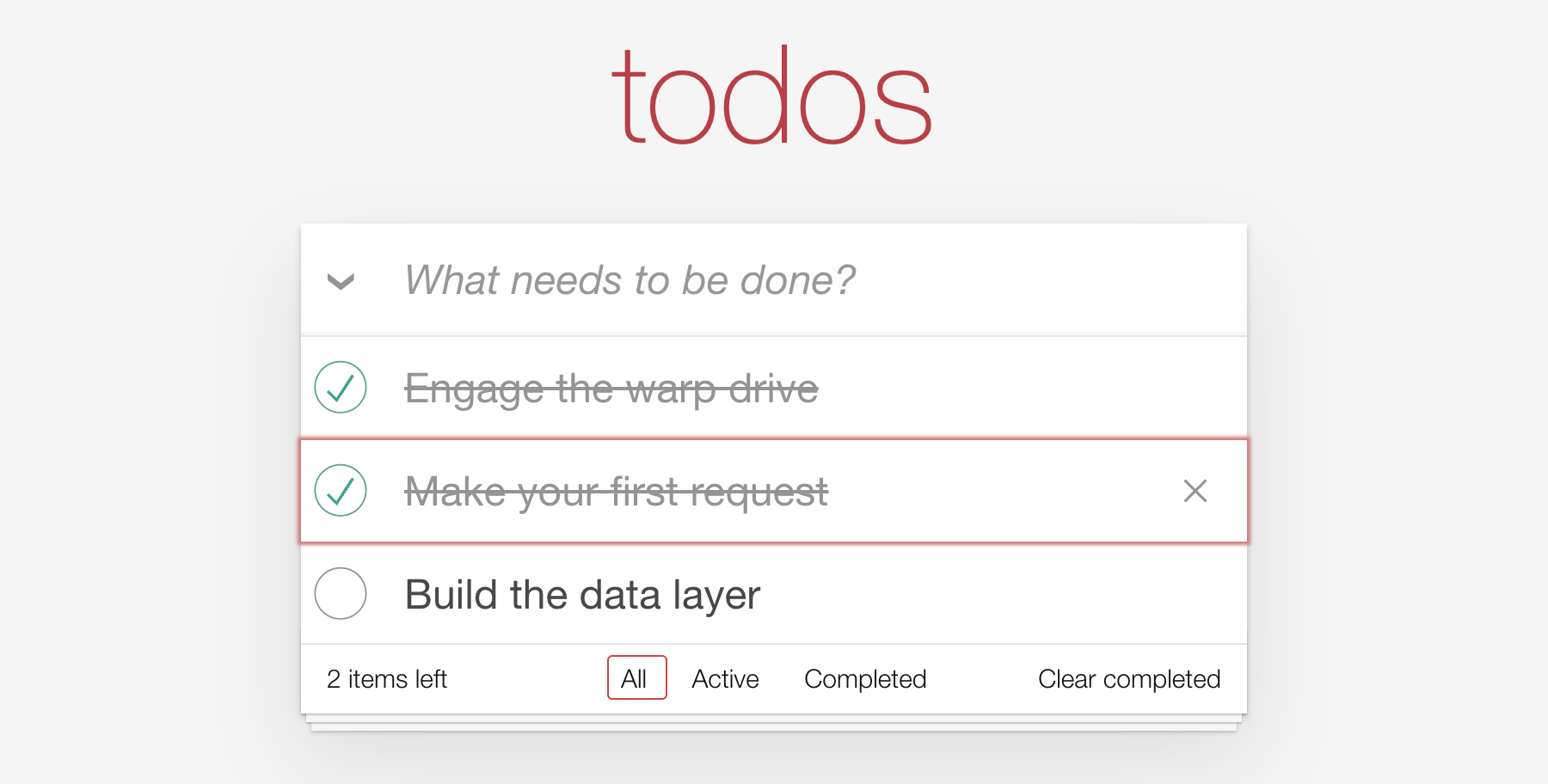
Toggle a todo and reload. It stays toggled. But the footer still says "2 items left", and on the Active page a completed todo doesn't leave.
Why the lists are stale
The cache stores each list as its own document: the todo keys the server returned for that URL.
GET /api/todo                          [1, 2, 3]
GET /api/todo?filter[completed]=false  [2, 3]
GET /api/todo?filter[completed]=true   [1]
The PATCH updated todo 2's completed field everywhere it appears. But the cache doesn't know what filter[completed] means, so it can't tell that todo 2 now belongs in the other list.
You could refetch the lists, as chapter 4 does after a create, at the cost of a GET for each. But here you already know what changed: one todo moved from one list to the other. So let's make that change in the cache directly. WarpDrive lets you choose per change: refetch when the server should decide, patch when you already know.
Move the todo between lists
Add to app/data/builders/update.ts, below chapter 5's patchTodo. The imports go at the top of the file, and one of them adds TodosDocument to chapter 5's schema import:
import type { PersistedResourceKey } from '@warp-drive/core/types/identifier';
import type { Todo, TodoAttributes, TodosDocument } from '../schemas/todo.ts';
import type Store from '../store.ts';
import { getActiveTodos, getCompletedTodos } from './query.ts';
// Already in utils.ts. App code, not WarpDrive: where the server would put a todo.
import { serverIndex } from './utils.ts';

// ...

/** Moves a todo from the cached "active" list to the cached "completed" list. */
export function patchCacheTodoCompleted(store: Store, todo: Todo): void {
  moveBetweenLists(store, todo, { from: getActiveTodos(), to: getCompletedTodos() });
}

/** Moves a todo from the cached "completed" list to the cached "active" list. */
export function patchCacheTodoActivated(store: Store, todo: Todo): void {
  moveBetweenLists(store, todo, { from: getCompletedTodos(), to: getActiveTodos() });
}

function moveBetweenLists(
  store: Store,
  todo: Todo,
  lists: { from: RequestInfo<TodosDocument>; to: RequestInfo<TodosDocument> }
): void {
  // A saved todo always has an id; the cast tells TypeScript so.
  const value = recordIdentifierFor(todo) as PersistedResourceKey<'todo'>;
  const from = store.cacheKeyManager.getOrCreateDocumentIdentifier(lists.from);
  const to = store.cacheKeyManager.getOrCreateDocumentIdentifier(lists.to);

  // Only patch lists that have been requested; the others will fetch fresh.
  if (to && store.cache.peekRequest(to)) {
    store.cache.patch({ record: to, op: 'add', field: 'data', value, index: serverIndex(store, lists.to, value) });
  }
  if (from && store.cache.peekRequest(from)) {
    store.cache.patch({ record: from, op: 'remove', field: 'data', value });
  }
}
A request is just an object, so getActiveTodos() and getCompletedTodos() name the two lists without sending anything. store.cacheKeyManager.getOrCreateDocumentIdentifier gives each list's cache key: the key its response is stored under.
Then store.cache.patch edits the cached documents as if the server had: op: 'add' puts the todo's key into one list, and op: 'remove' takes it out of the other. cache.patch needs the key of a saved todo, one with an id. recordIdentifierFor can't promise that, because a todo created in the browser has no id until it's saved, so the cast tells TypeScript this one is saved.
peekRequest checks whether a list is in the cache at all. A list that was never fetched is left alone; it fetches fresh when something asks for it.
Keeping the order right
Patching makes you responsible for what a refetch would have told you, including order. Without an index, op: 'add' puts the todo at the end of its new list. But this tutorial's API lists todos in the order they were created, so a refetch would put it somewhere else. The unfiltered list is already cached in that order, so serverIndex places the todo after every todo in its new list that was created before it. It's this app's ordering rule, not part of WarpDrive, so the starter includes it in utils.ts.
Call it after the save
Back in todo-item.gts, in CompletedForm's patchTodoToggle, after the request:
// At the top of the file, replacing chapter 5's patchTodo import:
import { patchCacheTodoActivated, patchCacheTodoCompleted, patchTodo } from '#app/data/builders/update.ts';

// ...

await this.store.request(patchTodo(todo, { completed }));

if (completed) {
  patchCacheTodoCompleted(this.store, todo);
} else {
  patchCacheTodoActivated(this.store, todo);
}
The lists change only after the await, so a failed save leaves them alone.
Check it again
Toggle a todo. The footer count updates, "Clear completed" shows whenever a todo is completed, and on the Active page a completed todo leaves the list. Each toggle is one PATCH and nothing else.
See Caching for what else the cache can do.
What's next
Chapter 7 deletes todos. That one the cache handles alone, because a deleted todo belongs in no list.