

Request builders
Chapter 1 wrote the todo request three times, spelling out the URL and the response type each time, and the footer needs three more. Let's write it once, as a builder. By the end of this chapter the whole footer works.
A request is just an object, so a builder is a plain function that returns one. It sends nothing. You pass its result to store.request, or to <Request>.
Write the builders
Create a new file, app/data/builders/query.ts:
import { withReactiveResponse } from '@warp-drive/core/request';
import type { RequestInfo } from '@warp-drive/core/types/request';
import { buildBaseURL, buildQueryParams } from '@warp-drive/utilities';

import type { Todo, TodosDocument } from '../schemas/todo.ts';

function queryTodos(filter?: { completed: boolean }): RequestInfo<TodosDocument> {
  const url = buildBaseURL({ resourcePath: 'todo' });
  const query = filter ? `?${buildQueryParams({ 'filter[completed]': filter.completed })}` : '';

  return withReactiveResponse<Todo[]>({
    method: 'GET',
    url: `${url}${query}`,
    headers: new Headers({ Accept: 'application/vnd.api+json' }),

    // 'query' requests for the 'todo' type are invalidated whenever a todo is
    // created, so every list refetches and picks up the new todo.
    op: 'query',
    cacheOptions: { types: ['todo'] },
  });
}

/** GET /api/todo */
export function getAllTodos(): RequestInfo<TodosDocument> {
  return queryTodos();
}

/** GET /api/todo?filter[completed]=false */
export function getActiveTodos(): RequestInfo<TodosDocument> {
  return queryTodos({ completed: false });
}

/** GET /api/todo?filter[completed]=true */
export function getCompletedTodos(): RequestInfo<TodosDocument> {
  return queryTodos({ completed: true });
}
Each builder returns a RequestInfo<TodosDocument>: a request that will get a TodosDocument back. Two helpers from @warp-drive/utilities build the URL: buildBaseURL makes the /api/todo path, and buildQueryParams adds the filter.
Two lines do more than build a URL:
withReactiveResponse<Todo[]>records the response type on the request, so callers don't have to. Chapter 1 wrotestore.request<TodosDocument>for that.op: 'query'withcacheOptions: { types: ['todo'] }registers the request as a list of todos. When a todo is created, the store invalidates every such request: it marks the cached response out of date, so<Request>fetches it again.
Use them in the routes
In app/routes/index.ts, replace chapter 1's request with the builder:
// At the top of the file:
import { getAllTodos } from '#app/data/builders/query.ts';

// ...

todos: this.store.request(getAllTodos()),
Do the same in app/routes/active.ts and app/routes/completed.ts, with getActiveTodos and getCompletedTodos.
Use them in the footer
Three parts of the footer need todos. Each passes a builder to <Request> as @query, and <Request> calls store.request for you.
TodoMVC hides the footer when there are no todos. The footer can't use the page's list to decide: on the Active page that list is filtered, and it can be empty while completed todos still exist. So the footer asks the store for all the todos itself, and shows only if there are any. In app/components/todo-app/footer.gts, wrap the <footer> inside MaybeFooter's <template> in that request:
// At the top of the file:
import { getAllTodos } from '#app/data/builders/query.ts';

// ...

<Request @query={{(getAllTodos)}} @autorefresh={{true}} @autorefreshBehavior="refresh">

  <:content as |content|>
    {{#if content.data.length}}
      <footer class="footer">
        {{yield}}
      </footer>
    {{/if}}
  </:content>

  <:error as |error|>
    <HandleError @error={{error}} />
  </:error>

</Request>
In app/components/todo-app/todo-count.gts, count the active todos:
// At the top of the file:
import { getActiveTodos } from '#app/data/builders/query.ts';

// ...

<Request @query={{(getActiveTodos)}} @autorefresh={{true}} @autorefreshBehavior="refresh">
  <:content as |content|>
    <Remaining @remaining={{content.data.length}} />
  </:content>
  <:error as |error|>
    <HandleError @error={{error}} @toast="Could not get active todos for Todo Remaining Count." />
  </:error>
</Request>
In app/components/todo-app/clear-completed-todos.gts, hand the completed todos to the button:
// At the top of the file:
import { getCompletedTodos } from '#app/data/builders/query.ts';

// ...

<Request @query={{(getCompletedTodos)}} @autorefresh={{true}} @autorefreshBehavior="refresh">
  <:content as |content|>
    <ClearCompleted @completed={{content.data}} />
  </:content>
  <:error as |error|>
    <HandleError @error={{error}} @toast="Could not get completed todos for 'Clear Completed'." />
  </:error>
</Request>
(getAllTodos) calls the builder from the template.
These <:error> blocks differ from chapter 1's on purpose. If the page's list fails to load, onUnrecoverableError replaces the app with a "Something went wrong" message. If a footer request fails, <HandleError> reports it, the count and the button show a toast, and the rest of the page keeps working.
The footer asks for the same list as the index route, and the Network panel shows one GET /api/todo, not two. The store recognizes the same request and answers both from one response.
Check it
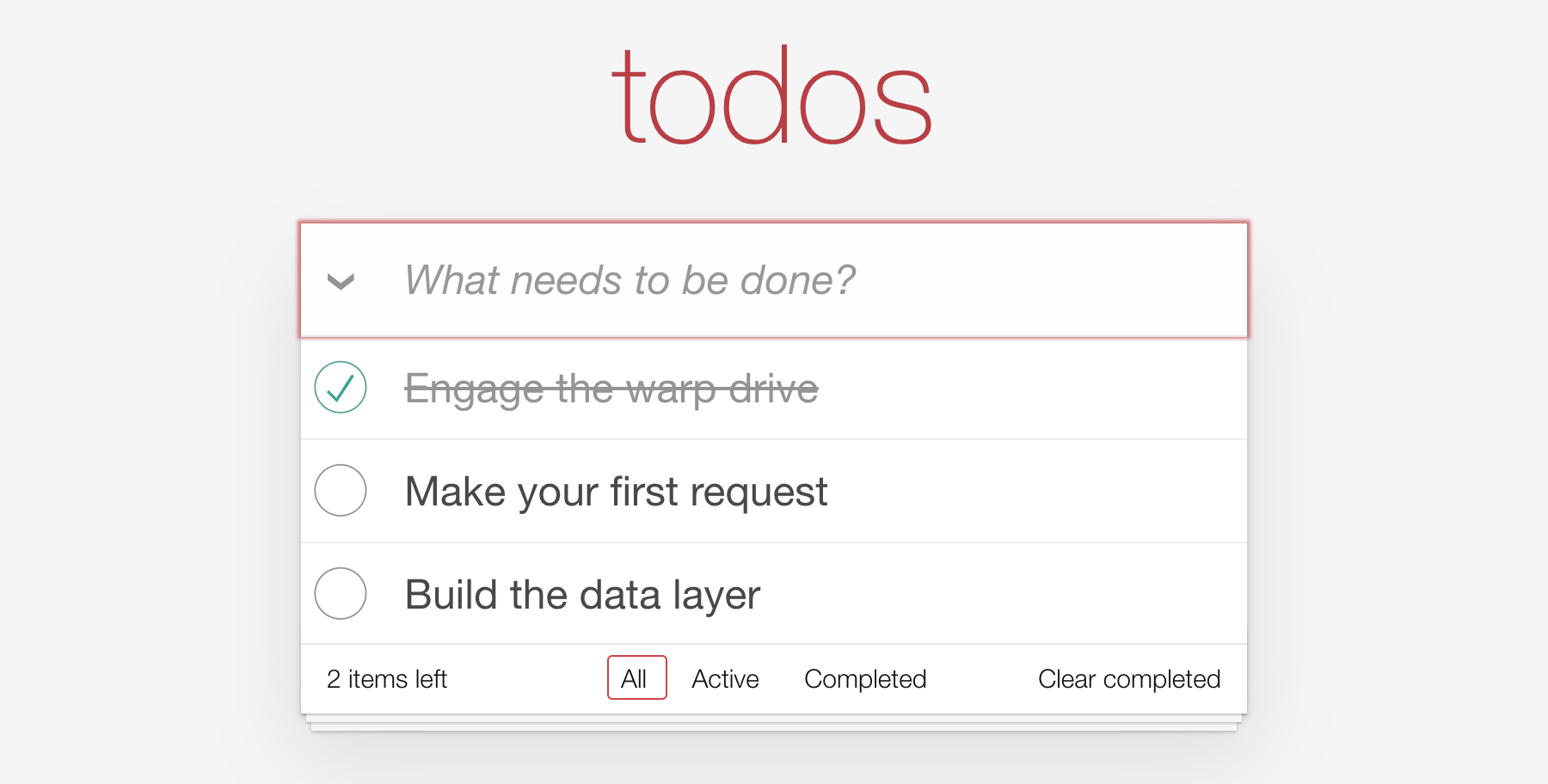
Reload. The footer says "2 items left" and shows "Clear completed", because one of the three todos is done.
Move the headers into a handler
Every request from here on needs the JSON:API headers. You could repeat them in every builder, but then each new builder has to remember them, and one that forgets breaks against a strict JSON:API server. Instead, let's add them once, on the path every request takes: a handler. Create a new file, app/data/handlers/json-api.ts, in a new handlers folder:
import type { Future, Handler, NextFn } from '@warp-drive/core/request';
import type { RequestContext } from '@warp-drive/core/types/request';

const JSON_API = 'application/vnd.api+json';

/** Adds the JSON:API content negotiation headers to every request. */
export const JsonApiHandler: Handler = {
  request<T>(context: RequestContext, next: NextFn<T>): Future<T> {
    const headers = new Headers(context.request.headers);
    headers.set('Accept', JSON_API);
    headers.set('Content-Type', JSON_API);
    return next(Object.assign({}, context.request, { headers }));
  },
};
A handler gets the request as context.request and passes it on with next. This one passes on a copy with the two headers set.
The store runs every request through the handlers you list, in order, and then Fetch sends it. To act on only some requests, a handler checks context.request itself. For example, a handler that adds an auth token only to your own API's requests checks context.request.url, and passes every other request straight to next.
Add it to the store's handlers in app/data/store.ts:
// At the top of the file:
import { JsonApiHandler } from './handlers/json-api.ts';

// ...

handlers: [JsonApiHandler],
Then delete the headers line from queryTodos. Reload, and the requests in the Network panel now carry both headers.
See Builders and Handlers in the manual.
What's next
Nothing writes to the API yet. In chapter 4 you create a todo, and every list updates without being told.